


 ビデオコンバーター究極
 スクリーンレコーダー
 ビデオ修復
ビデオ修復8MB ファイル圧縮プログラムの包括的なレビュー (2024)
現代では、特定の受信者にファイルをメールで送信することが、ワンクリックで実行できるようになっています。インターネットを通じて利用できる項目も数多く存在します。ファイルが動画であっても音声であっても、同様に送信できます。ただし、ファイルサイズが非常に大きい場合、適切な相手にファイルを送るのが難しくなることがあります。これは、ファイルサイズが大きいほど送信プロセスに時間がかかるためです。しかし、心配する必要はありません。本記事では8MB Compressorについて解説します。この方法を使えば、データを安全性を心配することなく、あらゆる場所へ安全に送信できます。

パート 1. 8MB コンプレッサーのレビュー
8MB Video Compressor は、Google Chrome、Mozilla Firefox、Safari などの一般的な Web ブラウザと互換性のある、広く認識されているオンライン ビデオ圧縮ツールです。 8MB ビデオ コンプレッサーを利用することで、ユーザーは膨大なビデオ ファイルのサイズを最大 8MB まで効果的に削減できます。このアプリケーションを使用すると、ユーザーは 100MB、50MB、25MB、8MB などのさまざまなプリセット サイズから選択できます。 8MB Compressor は、洗練された直感的なユーザーフレンドリーなインターフェイスを備えており、幅広いユーザーにとって魅力的です。さらに、ユーザーはこのプログラムの利用中に広告やポップアップ ウィンドウに遭遇することはありません。
さらに、このソフトウェアはビデオトリマー、ミューター、追加機能などのさまざまな編集機能を提供します。 8MB ビデオ コンプレッサーはデータとファイルの安全性を保証し、セキュリティに関する懸念を解消しますので、ご安心ください。ただし、ファイルに対して可逆圧縮を実行することはできません。圧縮サイズを小さくすると、それに応じて品質も低下します。ただし、ビデオ圧縮のための非常に効率的なオンライン ツールであることに変わりはありません。
長所
- オンライン プログラムでは、ユーザーは使用前にサインアップ プロセスを完了するだけで済みます。
- インターフェイスは非常に直感的です。
- この製品はユーザーフレンドリーで、ビデオコンプレッサーを初めて使用する人に適しています。
短所
- 使用されるプロセスでは、非可逆圧縮技術が利用されます。
- デバイスが機能するにはインターネット接続が必要です。
パート 2. 8MB コンプレッサーの使用方法
以下は、8MB 圧縮ツールを使用してファイルを効果的に圧縮する手順の概要を説明した簡潔な説明ガイドです。
ステップ1: まず、Webブラウザーを開き、「8MB Video Compressor」と検索します。続いて、プログラムを起動し、その操作性やインターフェースを確認します。
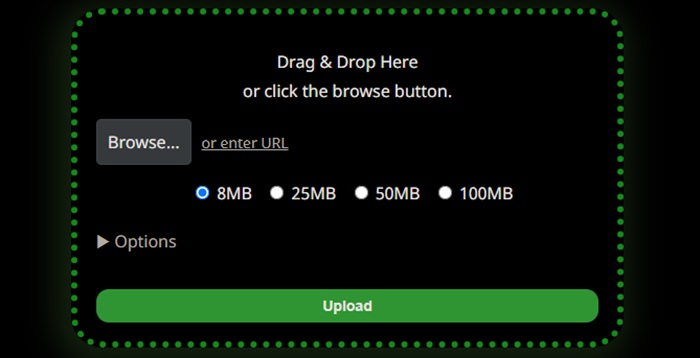
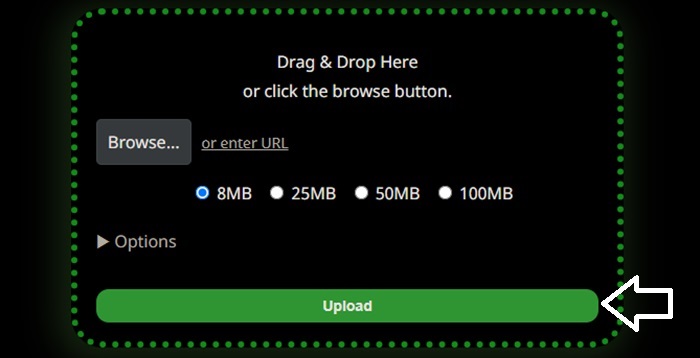
ステップ2: 動画の圧縮を開始するには、アプリケーションのメイン画面に移動し、Uploadボタンを探します。そのボタンをクリックして、圧縮したい動画ファイルを選択・追加します。
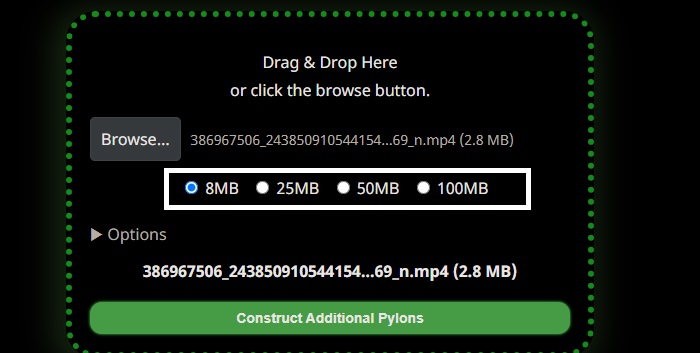
ステップ3: 希望する圧縮後のサイズを選択してください。8MB、25MB、50MB、100MBの容量から選べます。希望するサイズに対応する丸印を選択してください。なお、動画サイズを小さくすると画質が低下することにご注意ください。さらに、ドロップダウン矢印をクリックすることで、動画に適用できるさまざまな追加設定にもアクセスできます。
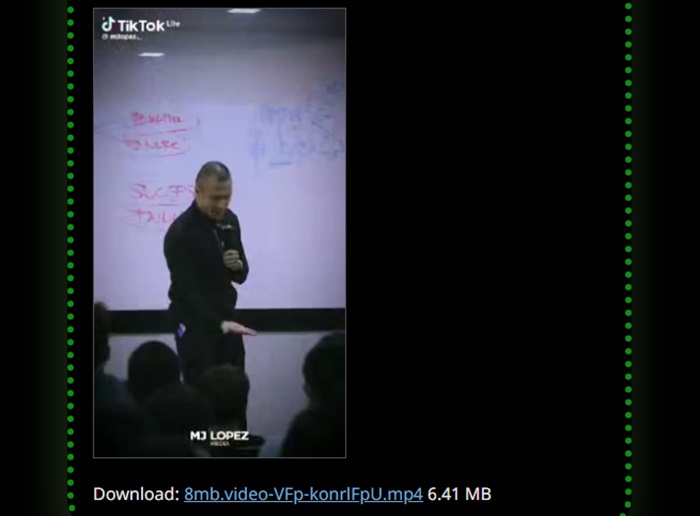
ビデオの圧縮プロセスを開始するには、インターフェイスの下部セクションにあるリンクをクリックしてください。圧縮プロセスが完了したら、ビデオのダウンロードに進んでください。
パート 3. 8MB Compressor の代替案
8MB Compressor が正しく機能しない場合は、オンラインとオフラインの両方でファイルを簡単に圧縮できる代替方法を利用できます。
1. FVC ビデオ コンプレッサー オンライン
FVC Video Compressor Onlineは、オンラインで利用できる代表的かつ使いやすい動画圧縮ツールとして知られています。画質をできるだけ維持したまま動画サイズを小さくしたい方に最適なオンラインプログラムです。このソフトは4K、HD、SD解像度での動画圧縮に対応し、MP4、MKV、MOV、3GP、RMVB、WebM、FLVなど、さまざまな動画形式をサポートします。さらに、ユーザーは好みに応じて動画の品質をカスタマイズできます。以下に、この使いやすいコンプレッサーの利用手順を詳しくご紹介します。
ステップ1: お好みの検索エンジンで「FVC Video Compressor Online」を検索します。ページにアクセスしたら、ランチャーをダウンロードし、コンピューターへのアクセスを許可してください。
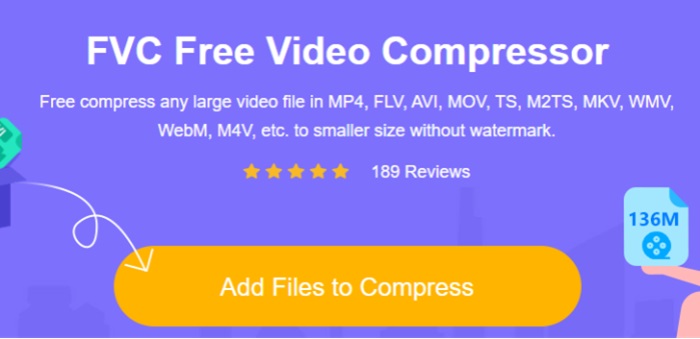
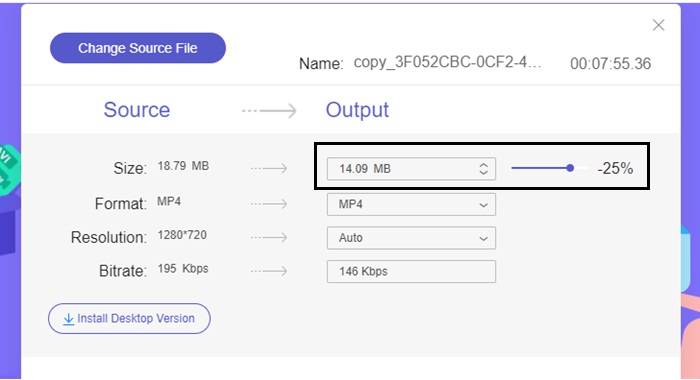
ステップ2: Add Files to Compressボタンをクリックして、ファイルのアップロードを開始します。動画のファイルサイズを小さくするには、Sliderバーを左側へ動かして調整します。また、画面に表示される利用可能な形式の中から選択することで、出力形式を変更することもできます。
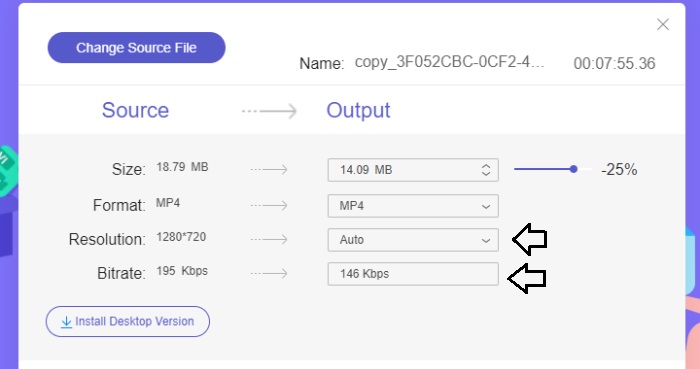
さらに、ユーザーは複数の選択肢から選んで、動画のビットレートや解像度を自由にカスタマイズできます。
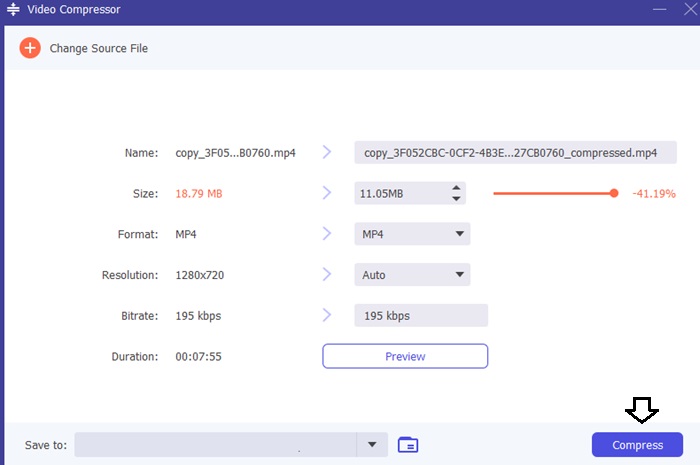
ステップ3: 必要な調整がすべて完了したら、Compressボタンを選択して動画を保存します。出力される動画ファイルを保存したいフォルダー(保存先)を指定してください。
2.ビデオコンバーターアルティメット
オフラインで使える動画コンプレッサーをお探しの場合は、Video Converter Ultimateへの移行を検討してみてください。このソフトはMacとWindowsの両方に対応しており、音声・動画ファイルの圧縮以外にも幅広い機能を備えています。さらに、ほぼ200種類のファイル形式に対応し、ユーザーの好みに合わせてファイルの品質を最適化することができます。このオフラインプログラムが他の動画コンプレッサーと一線を画している大きな理由のひとつは、画質を高く保ったまま、効果的にファイルサイズを縮小できる点です。
ステップ1: この高機能な動画圧縮ソフトを有効に活用するには、まずコンピューターにダウンロードしてインストールしてください。その後、ソフトを起動して、各種機能の利用を開始します。
無料ダウンロードWindows 7 以降対応安全なダウンロード
無料ダウンロードMacOS 10.7 以降に対応安全なダウンロード
ステップ2: まずツールボックスタブを開き、Video Compressorオプションを選択します。その後、動画をアップロードします。
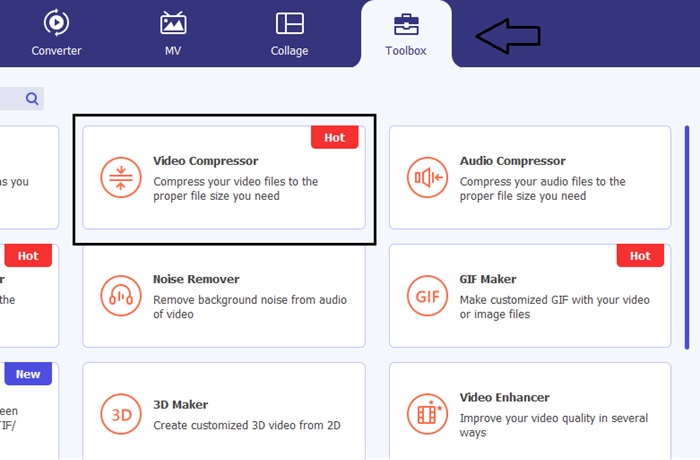
Video Compressorの設定画面が開いたら、目的のファイルサイズになるようSliderバーを調整してください。次に、Saveボタンをクリックして変更内容を適用します。
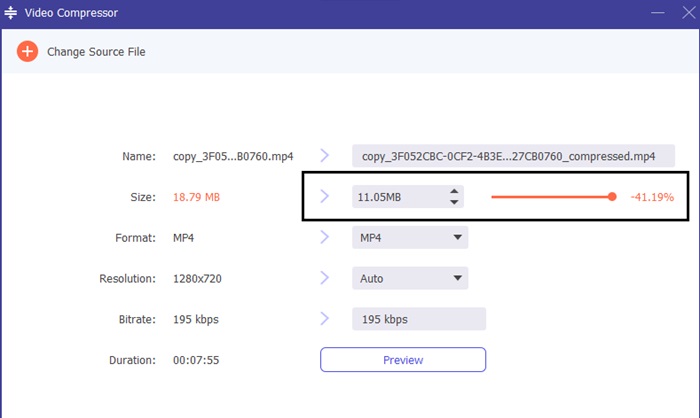
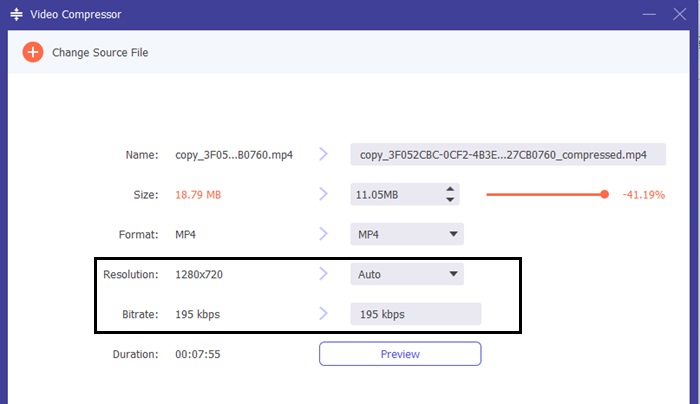
適切な動画形式を選択するには、Profileオプションを開き、ドロップダウンメニューからお好みの形式を選びます。ユーザーはエンコーダー、解像度、ビットレート、および音声設定なども変更できます。
ステップ3: Compressボタンをクリックして、動画の圧縮を開始してください。
さらに詳しく読む:
Twitter向けに動画を圧縮する方法:信頼できる4つの手段
パート 4. 8MB Compressor に関する FAQ
8 MB は何秒のビデオですか?
ビットレートに依存する場合、8MB ビデオは約 25.6 秒に相当すると判断できます。
1 分間の 1080p ビデオは何 MB ですか?
さまざまな録音形式がモバイル デバイスのストレージ容量を占有します。ただし、形式間の全体的な比較では、さまざまなデバイス間で類似点が見られます。 iPhone デバイスで 1 分間の 1080p ビデオに必要なストレージ容量は約 130MB です。
8MB ビデオ コンプレッサーは無料ですか?
8MB Video Compressor は、ビデオを圧縮できる無料のツールです。ただし、アップロードされたビデオは特定の基準を満たしている必要があることに注意することが重要です。具体的には、ビデオの長さは 5 分未満で、ファイル サイズは 2GB を超えてはなりません。
結論
まとめると、8MB File Compressorは、オンラインで動画を簡単に圧縮したい人にとって、非常に便利なツールです。信頼できる動画コンプレッサーをお探しなら、Video Converter Ultimate などの代替ツールも試してみる価値があります。
-
 YouTubeのビデオを圧縮する2つの方法
 YouTubeビデオは大きくてアップロードが遅いですか?オンラインとコンピューターの2つの方法で、YouTube用にビデオファイルのサイズを小さくするだけです。
-
 知っておくべきDiscord用ビデオコンプレッサー
 ファイルサイズに制限されることなく、お気に入りの動画を Discord にアップロードできます。こちらの Discord ファイル圧縮ツールを参照してください。
-
 クイックヒント: iPhone でビデオを無料で圧縮する方法
 この記事には、iPhone のビデオを圧縮する方法についての徹底的なチュートリアルが含まれています。ここにリストされている解決策を確認してください。それらを分析して自分に合ったものを選択してください!
