


 ビデオコンバーター究極
 スクリーンレコーダー
 ビデオ修復
ビデオ修復WindowsおよびMacシステムで最も選ばれた5つのAVIビデオタグエディタ[使いやすい]
AVIタグは、そのファイルをチェックすることで中身が何かを判断するのに役立ちます。ただし、AVIファイルについているタグがすべて正しいとは限らないため、自分でそれらを修正できるツールが必要になります。ところが、ウェブ上のタグエディター市場はあまりにも広くて、かえって困ってしまいますよね。どのツールを使うべきか探し回る大変さは、私たちもよく分かっています。幸いなことに、AVIのタグを編集・追加・削除するのに最適なメタデータエディターを厳選しました。本記事では、デスクトップで使える理想的なAVI動画タグエディターをご紹介します。

パート1。WindowsとMacで利用可能な上位5つのAVIタグエディタ
Video Converter Ultimate [2023 年に最適な AVI メタデータ エディター]
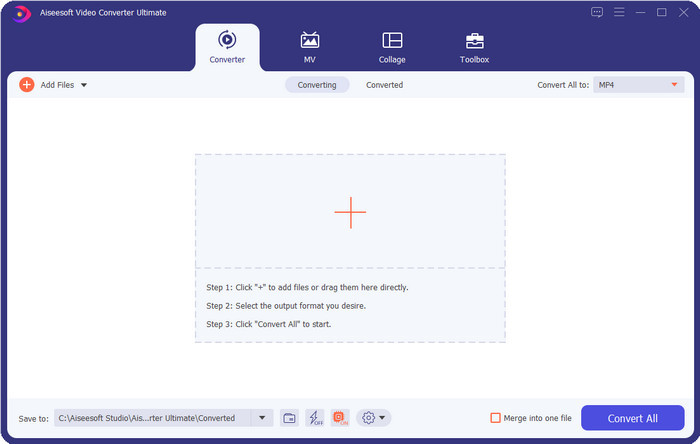
これは、AVIファイルのタグを簡単に変更または削除できる、最適なAVI動画タグエディターです。高度でありながら操作はシンプルな機能を備えたソフトをお望みなら、Video Converter Ultimateが最良の選択になります。さらに本ソフトでは、複数のメタデータ編集機能を使って、タグを整理・修正・更新することができます。ほかのデスクトップエディターをダウンロードして試す前に、まずこのツールを強くおすすめします。これひとつで多機能を兼ね備えたオールインワンのツールを手に入れられるからです。なぜこのツールを使うべきなのか知りたいですか?以下に、ダウンロードするかどうかを判断する助けとなる5つの理由を挙げました。

FVCビデオコンバーターアルティメット
5,689,200以上のダウンロード- これは、MP4、MOVなどの多数の形式をサポートする使用できる最高のソフトウェアです。
- メタデータを編集する高速プロセスのために、このツールは完全にうまく機能しています。
- ファイルに重要なタグを追加するか、数回クリックするだけでそれらを削除する方法を学びます。
- WindowsやMacなどのすべてのデスクトッププラットフォームをサポートします。
無料ダウンロードWindows 7 以降に対応安全なダウンロード
無料ダウンロードMacOS 10.7 以降に対応安全なダウンロード
AVIメタエディット
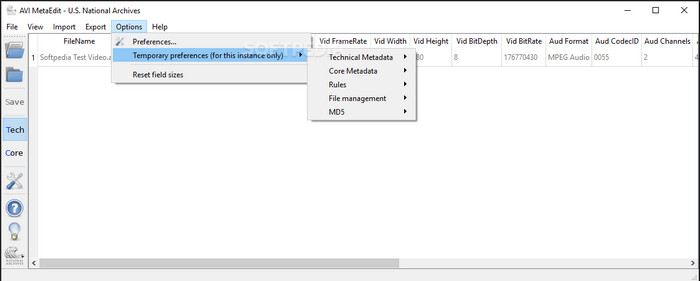
MacとWindowsで使えるAVIメタデータエディターを探しているなら、AVI Meta Editが候補になるかもしれません。このツールでは、とくにAVIファイルについて、メディアファイル内のタグや情報を編集できます。このツールを使えば、ファイルに関する異なる情報を含むTechnical MetadataとCore Metadataを、それぞれ個別に編集することができます。提供される編集機能自体はかなり詳細ですが、ツール内に出てくる略語などのせいで、操作が分かりにくいという面もあります。
マチェーテビデオエディタライト
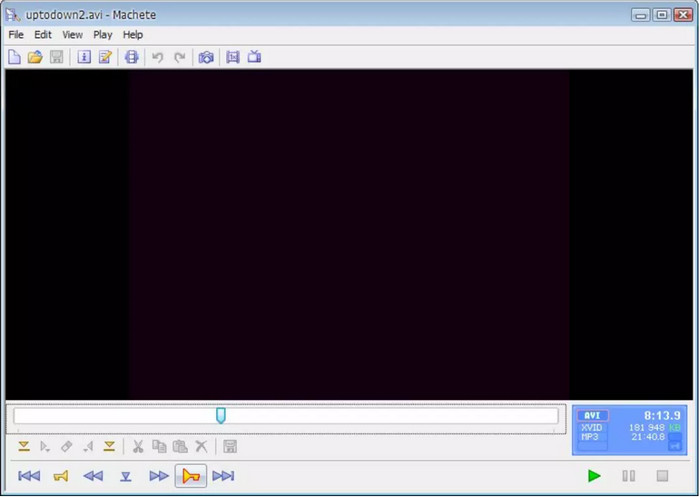
Windows 10でAVIメタデータを編集したいなら、Machete Video Editor Liteを試してみる価値があります。このツールを使えば、AVIおよびWMVファイルのタグを簡単に編集できます。また、用意されている機能が一目で分かる、シンプルに構成されたインターフェースも提供しています。その簡素なインターフェースゆえに、メタデータ編集の選択肢がほかにない場合の代替ツールとして考えるユーザーもいます。さらに言えば、このツールで入力できるメタデータ情報は限られており、対応している形式も同様に少ないのが難点です。
abcAVIタグエディタ
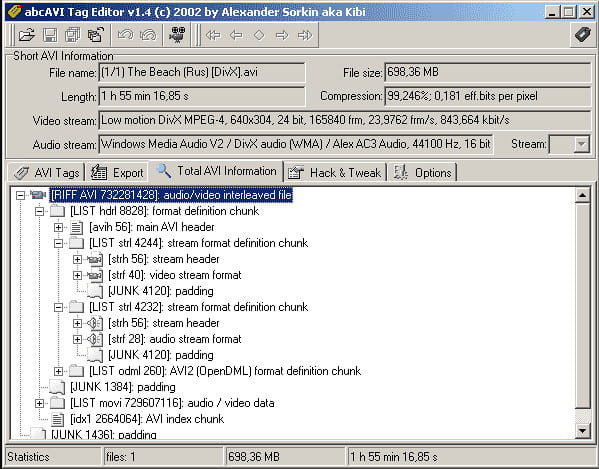
Windowsで利用できる、もうひとつのオープンソースAVIタグエディターがabcAVI Tag Editorです。このツールを使うと、AVIファイルのメタデータを簡単に調整できますが、対応形式はAVIのみです。さらに、必要なタグを数クリックで追加または更新することもできます。ツールの動作自体は良好ですが、GUIのデザインはかなり見劣りし、ほかのツールと比べてレイアウトが洗練されていないのが分かります。加えて、AVI以外のアップロード形式には対応していません。
FFmpeg
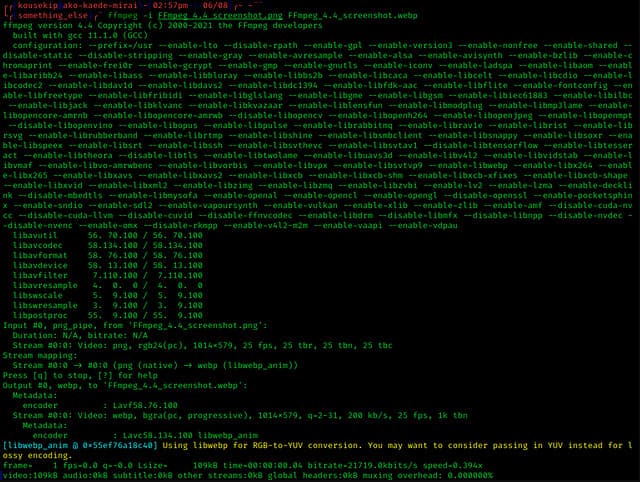
最後にご紹介するのはFFmpegです。これは、WindowsとMacでAVIファイルのプロパティを編集するのに使えるコマンドベースのソフトウェアです。このツールは元々、メディアファイルの変換・編集・再生などに用いられますが、現在ではあらゆるメディアファイルのメタデータ編集にも使用できます。ほかのツールと異なり、ボタン操作で命令を出す仕組みではなく、コンピューター言語(コマンド)で処理を実行します。そのため、このツールを操作するにはコマンドプロンプトを開き、目的の編集を行うための特定のコードを入力しなければなりません。扱いは難しいものの、パソコンに導入しておく価値のあるプロ向けツールです。
関連記事:
パート2。トップ5AVIメタデータエディターの比較チャート
| 特徴 | ビデオコンバーターアルティメット[2022年の最高のAVIメタデータエディター] | AVIメタエディット | マチェーテビデオエディタライト | abcAVIタグエディタ | FFmpeg |
| 使いやすい |  | | | |  |
| 安全に使用できます | | | | | |
| 両方のOSで利用可能 | | | | | |
| 直感的なインターフェース | | | | | |
| サポートされている形式 | AVI、MP4、MKV、FLV、MOV、およびその他の1000以上のファイル形式から開始 | AVI | AVIとWMV | AVI | AVI、MOV、MP4、FLVなど |
パート3。AVIメタデータエディタに関するFAQ
AVIメタデータエディタをオンラインで使用しても安全ですか?
現在使用しているデスクトップに十分なスペースがないとします。オンラインツールを使用してタスクを実行することをお勧めします。ただし、インターネット上で無料でアクセスできるすべてのツールが信頼できるわけではありません。ただし、オンラインツールを使用する場合は、アクセスするWebサイトで常に検索する3つのガイドラインを維持する必要があります。何よりもまず、検索バーの近くの上部を確認することを強くお勧めします。ロックアイコンがあり、安全に使用できることを意味します。そのため、そのロックが解除されている場合は、接続が保護されていないことを意味します。広告の広告アクティビティを確認します。場合によっては、広告がデスクトップにマルウェアを運び、ドライブ上のファイルが破損する可能性があります。クッキーを許可しないでください。 Cookieは、Webサイトにアクセスしたユーザーの数を知るための優れた方法である場合がありますが、多くの場合、Cookieを使用して現在地が表示されます。オンラインで間違ったエディタを選択しないように、これを覚えておいてください。
AVIタグの編集に最適なツールはどれですか?
私たちの調査によると、Video Converter Ultimateは、使用に支障をきたすことなく、あらゆる面で非常に優れたパフォーマンスを発揮することがわかります。エディターに関する詳細情報が必要な場合は、上記の以下の情報を読んで詳細を確認し、ダウンロードしてください。
AVIにメタデータを追加することに制限はありますか?
これまでのところ、AVIファイルまたはメディアファイルに追加できる情報に制限はありません。ただし、一部のメタデータエディタでは、必要な情報をファイルに挿入できません。 AVIにメタデータを追加することに制限はありませんが、単一のファイルに追加できる情報を制限するツールです。
結論
AVIのメタデータを編集する方法に、これだけ多くの選択肢があるのは素晴らしいことではないでしょうか。本記事で紹介した5つのAVIメタデータエディターは、どれもAVIファイルのタグやメタデータを編集するのに有力な候補になり得ます。ただし、この5つを比較すれば、AVIのメタデータ編集で一歩抜きん出ているのはVideo Converter Ultimateだとすぐに分かります。このエディターなら、AVIのメタデータを編集・追加・削除するだけでなく、さらに多くのことが行えます。ほかにどんなことができるのか知りたいですか?それなら、ダウンロードボタンをクリックして、ご自分で確かめてみてください。
-
 メディアファイルのメタデータを削除する5つの最も簡単な方法
 メタデータを削除する方法は?難しいですか?タグを削除するには、無料のツールを購入または使用する必要がありますか?これらの質問はすべて、この記事に回答があります。
-
 オンラインとオフラインで利用可能な上位 5 つのメタデータ抽出ツール [2025]
 市場には複数のメタデータエクストラクタがありますが、今日では、対象者に応じて最も厳選された5つのタグエクストラクタのみを選択しています。
-
 2025 年のトップ 5 ビデオ メタデータ エディター [公平なレビュー]
 ビデオメタデータを表示しますか?その場合は、以下の詳細を読んでトピックを完全に把握し、どのツールが最適かを確認してください。
