


 ビデオコンバーター究極
 スクリーンレコーダー
 ビデオ修復
ビデオ修復TSをオンラインおよびオフラインでGIFに変更するための最高のTSからGIFへのコンバーター
TS ファイルは MPEG トランスポートストリーム(MPEG Transport Stream)と呼ばれ、簡単に言えば「トランスポートストリーム」です。この種類のファイルは、複数の再生を同期させるため、DVD で最もよく見られます。TS ファイルは MPEG の標準的なデジタル保存形式ではありますが、他の形式と比べると構造が単純です。DVD 上のほとんどの映像クリップは、世界中へ簡単に転送できるように .ts という形式で保存されています。しかし、一部のメディアプレーヤーでは、映像・音声・その他のストリームが多重化されていることや、ファイルサイズが非常に大きいことが原因で .ts ファイルを再生できません。そこで、この問題を解決し、さらにストレージ容量を節約してドライブに保存しやすくするために、形式変換が必要になります。ここでは、このツールを使ってTS を GIF に変換する方法を学び、両者の違いについても理解していきましょう。

パート1。TS対GIF
TSとGIFはどちらもメディアファイルのコンテナですが、特にファイル形式に含まれるものには大きな違いがあります。
たとえば、TSファイルは、DVD、Blu-ray、およびその他のオンラインでの放送やストリーミングで入手できることがよくあります。ただし、トランスポートストリームデータには、再生時に効率的な形式の1つになるようにまとめられた別の要素があります。
これらの要素は
●VIDEO_TS.VOB–オーディオとビデオのデータコンテナ。
●VIDEO_TS.BUP–情報をバックアップするためのデータコンテナ。
●VIDEO_TS.ISO–メニュー、キャプション、字幕などのデータがここにあります。
●AUDIO_TS–最も一般的には空のデータ。
しかし、GIFにはTSファイルのような要素はありません。ただし、GIFはこのファイルよりもアクセスが簡単で、他の形式と比較してサイズがはるかに小さくなっています。ただし、GIFファイルの欠点は、ここにオーディオファイルを含めることができないことです。 GIFにはオーディオファイルが含まれておらず、fpsが少ないカラーパレットでは少ないためです。
パート2。PCとMacでTSをGIFに変換する方法[プログラムとWebベースのツール]
1.FVC無料ビデオからGIFメーカーへ
FVC FreeVideoでGIFを作成してGIFMakerに変換します。このツールは、Web上ですでに遭遇しているどのオンラインコンバーターよりもはるかに優れています。このツールは限られたフォーマットをサポートしていますが、それでも、究極のコンバーターの次に、ここにリストされている最高のコンバーターの1つです。このツールによってもたらされる変換のプロセスは、CloudConvertやConvertioよりもはるかに高速で安全ですが、はるかに高速にしたい場合は、以下の次のツールに進んでください。これは、このツールよりも30倍高速であり、Webまたはプログラムベースのツールよりも100倍高速であるためです。したがって、このTSからGIFへのコンバーターの変換をテストするには、以下の手順に従う必要があります。
ステップ 1. ツールをドライブにダウンロードしてインストールします。
無料ダウンロードWindows 7 以降対応安全なダウンロード
無料ダウンロードMacOS 10.7 以降対応安全なダウンロード
ステップ 2. セットアップを調整して起動したら、インターフェイス左上の Add File ボタンをクリックし、open をクリックして GIF ファイルを読み込みます。
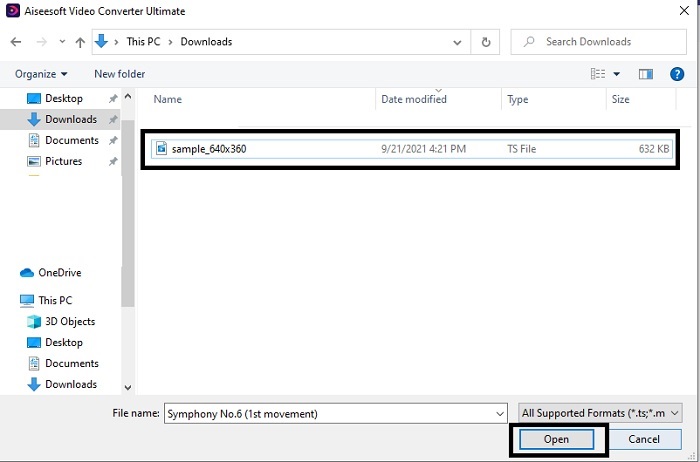
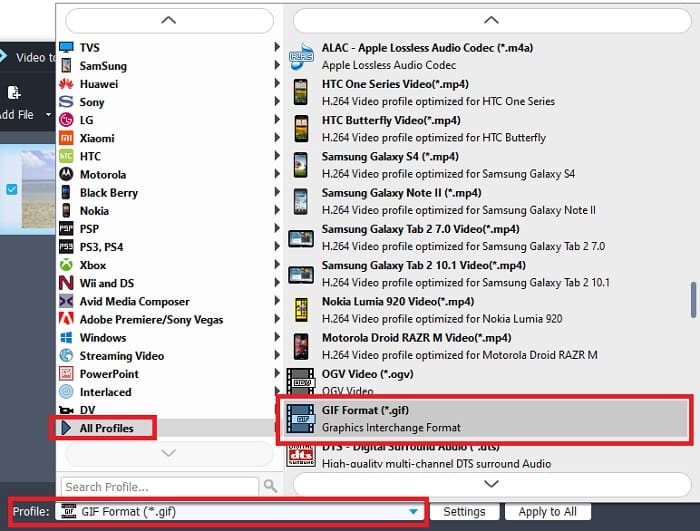
ステップ 3. メイン画面の下部に Profile があるのでクリックします。ここで .ts ファイルを希望の形式に変更できます。
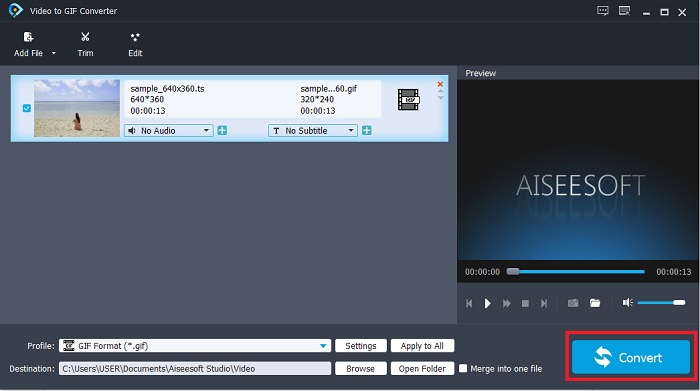
ステップ 4. .ts ファイルの変換を開始するには、Convert ボタンをクリックして処理を進めます。
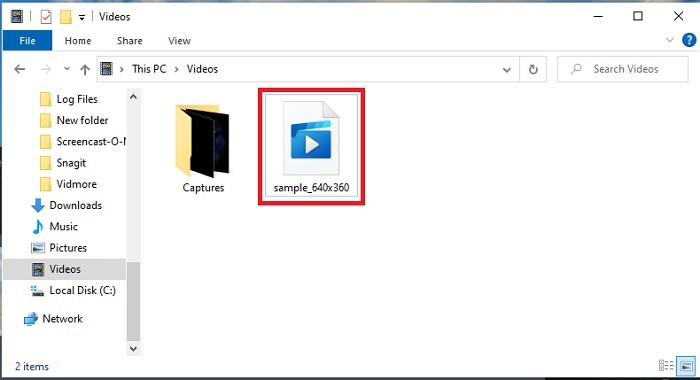
ステップ 5. 数分待って変換が完了するのを待ちます。その後、エクスプローラーで .gif ファイルを探し、再生して楽しみましょう。
2.FVCビデオコンバーターアルティメット
もし変換が問題になっているのであれば、FVC Video Converter Ultimate が最適な解決策です。このツールは、遭遇しうるさまざまな変換トラブルを常に解決してくれます。再生できない形式を再生可能な形式に変換し、その後で強化することもできます。この「Ultimate Converter」はオンラインで100万人以上に利用されており、高く評価されています。これほどの機能を持つツールは有料が一般的ですが、高価なソフトが好みでない方にはぴったりです。価格が手頃なだけでなく、動画をこれまでで最高の GIF に仕上げることもできます。それでは前置きはこのくらいにして、TS を GIF 形式に変換するための詳細な手順を、あなたのために用意したステップに沿って見ていきましょう。
ステップ 1. Ultimate Converter を入手するには、まず PC または Mac のドライブにダウンロードします。インストールしたら、必要に応じてセットアップを変更し、最後に「完了」をクリックして設定を保存します。
無料ダウンロードWindows 7 以降に対応安全なダウンロード
無料ダウンロードMacOS 10.7 以降に対応安全なダウンロード
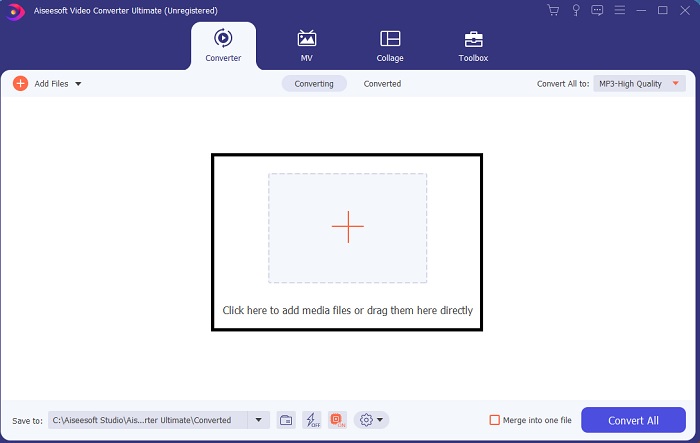
ステップ 2. インターフェイス中央のプラスアイコンをクリックします。GIF に変換したい .ts ファイルを探して open をクリックし、ツールの画面に追加します。補足情報として、複数の .ts ファイルや他形式のファイルを同時に追加することもできます。また、同じ形式に一括変換することも、ファイルごとに別の形式を指定することも可能です。
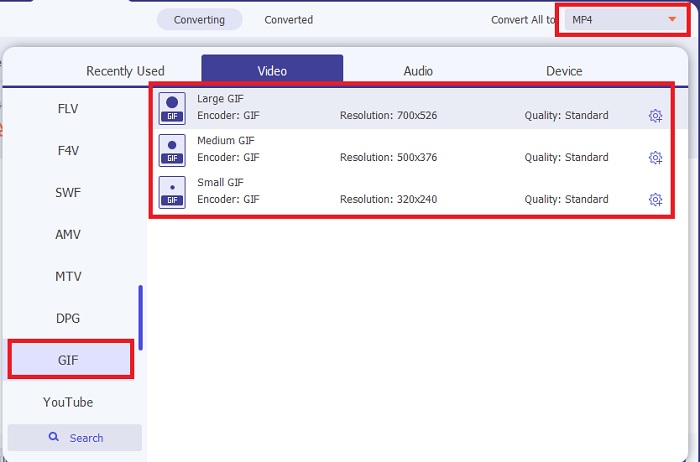
ステップ 3. メイン画面で、左側の drop-down ボタンをクリックします。GIF 形式、もしくはその他希望する形式を選択します。
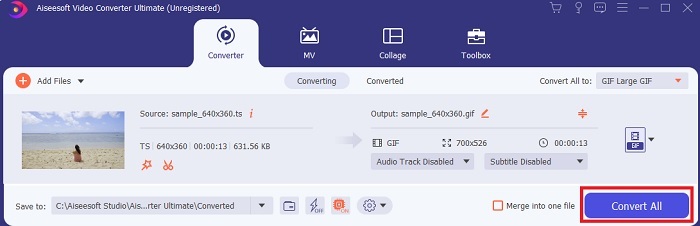
ステップ 4. GIF 形式を選択したら、Convert All ボタンをクリックして TS ファイルの変換を開始します。
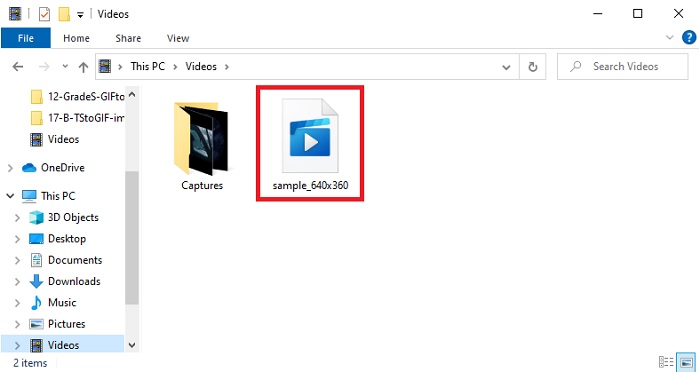
ステップ 5. 変換が終わると、画面にフォルダが自動的に表示されます。変換したファイルをクリックして、さっそく再生してみましょう。
3. CloudConvert
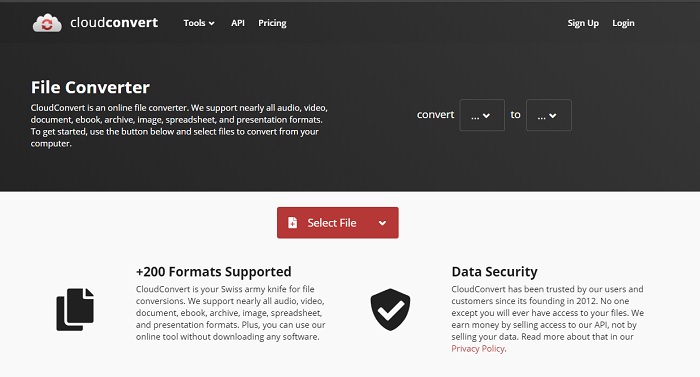
上記のソフトウェアをダウンロードしたくない場合は、CloudConvert を利用することもできます。最初の 2 つのコンバーターと異なり、このウェブツールはインターネット接続が必須です。そのため、ここで変換を行う場合は、途中の中断やデータ損失を防ぐため、安定したネット回線が必要になります(次に紹介するツールも同様です)。ただし、CloudConvert は基本的な変換や主要な形式には対応していますが、前述の 2 つのツールのような編集機能はありません。一方の利点としては、ストレージにインストールする必要がない点が挙げられます。
4. Convertio
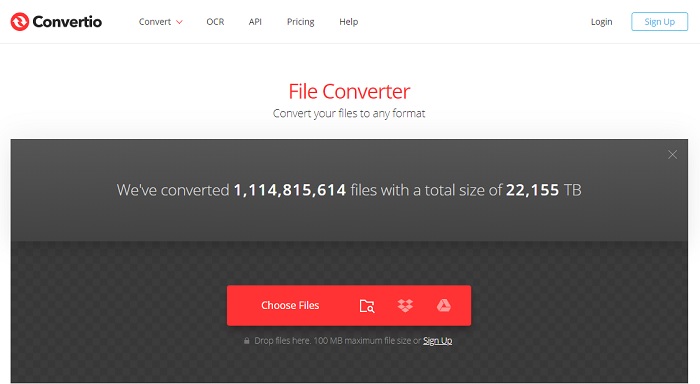
このツールでは、複数のTS から GIF への変換を行うことができますが、その場合は事前にサインアップが必要です。というのも、Convertio が同時に変換を許可しているのは 2 件までだからです。ただし、サインアップすると、自分に関するデータを提供することになる点には注意が必要です。このツールでデータ漏えいが発生したという報告はありませんが、それでも「念には念を」が安心です。さらに、このウェブツールは優れた圧縮と変換を提供しますが、対応形式の数は Ultimate ツールより少なくなっています。
パート3。TSからGIFに関するFAQ
TSファイルは圧縮されていますか?
はい、.mpeg圧縮を使用して保護し、後で転送したい場合に安全に転送できるため、圧縮されたビデオデータです。
.tsファイルはどこで再生できますか?
多くの場合、標準搭載のメディアプレーヤーや一部のサードパーティ製ツールでは .ts ファイルを再生できません。しかし、映画館で映画を観るような感覚で .ts ファイルを再生できるメディアプレーヤーも存在します。Blu-ray Player は、あらゆる形式に対応し、その再生を楽しめる革新的なメディアプレーヤーのひとつです。以下のリンクをクリックしてツールをダウンロードし、.ts ファイルを視聴しましょう。 Blu-ray Player(PC 版)をダウンロード Blu-ray Player(Mac 版)をダウンロード
TSファイルに変換するのに最適な形式はどれですか?
調査の結果、TS ファイルは MP4 と同様に音声と映像の再生を同期させる仕組みを持っていることがわかりました。ただし、MP4 は必ずしも同期されたファイルとして保存されるわけではありませんが、それでも .ts を変換する際に最も適した形式のひとつです。TS ファイルを MP4 に変換した後であれば、そのファイルはあらゆるプラットフォームやメディアプレーヤーで再生可能になります。
結論
まとめとして、この変換ツール対決の勝者は、期待どおり FVC Video Converter Ultimate となりました。ここで紹介したツールはすべてTS を GIF に変換できますが、そのなかでも Ultimate Converter は群を抜いた存在です。完璧な変換を求めるのであれば、このツールをダウンロードして、変換作業を存分に楽しんでください。
-
 [ガイド] Windows / MacでM4VビデオをアニメーションGIFに変換する方法
 お気に入りのM4VビデオからアニメーションGIFファイルを作成する場合は、カスタマイズされた設定でM4VビデオをGIFに変換する2つの簡単で効率的な方法について学ぶことができます。
-
 WebMからGIF–独自のGIFを作成するための3つの無料のWebMからGIFへのコンバーター
 WebMはGIFですか?ビデオをGIFに変換する方法は?無料のWebMからGIFへのコンバーターはありますか?この投稿では、WebMをGIFに変換するのに役立つ3つの無料の方法を共有しています。
-
 Photoshop / FFmpegを使用せずにMKVビデオをアニメーションGIFに変換する方法
 コンピューターにMKVムービーをダウンロードして視聴した後、友人やインターネットでGIFとして素晴らしい瞬間を共有したい場合があります。この記事では、MKVをGIFに変換する2つの最も簡単な方法について学ぶことができます。
