


 Video Converter Ultimate
 Screen Recorder
 Riparazione video
In recensioni dettagliate sui 3 convertitori Web e desktop utilizzati per convertire file WMV in AVI
Potrebbe arrivare un momento in cui desideri convertire il tuo file in un nuovo formato perché non è riproducibile. Un ottimo esempio in questo caso è il formato WMV. Se sei un utente Windows, avrai già sentito parlare di questo formato. Esso archivia diversi file video e audio in un unico contenitore. Tuttavia, questo formato non è supportato dalla maggior parte dei lettori multimediali. Quindi il modo migliore per guardare un file video con estensione .wmv è convertirlo. Se ti stai chiedendo come molti altri: è possibile convertire WMV in AVI? Allora continua a leggere qui sotto: abbiamo raccolto diversi strumenti Web che puoi usare insieme alle procedure illustrate.
Parte 1. I 3 migliori convertitori per convertire gratuitamente WMV in AVI online
Top 1. Convertitore video gratuito FVC online
La conversione può essere eseguita rapidamente se hai accesso a Internet e utilizzi questo FVC Free Video Converter Online. Questo software supporta una conversione molto più veloce ed efficiente rispetto ad altri strumenti online. Inoltre, non dovrai attendere il caricamento del file, perché questo strumento è progettato per ridurre al minimo i tempi di attesa. Un altro aspetto positivo di questo strumento online è la libreria integrata dei video convertiti che mette a disposizione. In questo modo puoi accedere facilmente ed efficacemente ai video o agli audio che converti. Tuttavia, se non hai accesso a Internet, non potrai utilizzarlo, proprio come accade per gli altri strumenti Web indicati qui sotto. Inoltre, se vuoi provare questo strumento, ecco alcuni passaggi che puoi seguire per convertire gratuitamente WMV in AVI online.
Passaggio 1. Per iniziare, vai al sito principale di FVC facendo clic su questo link.
Passaggio 2. Quindi fai clic su Add Files to Convert per installare il launcher dello strumento online. Non preoccuparti, pesa solo pochi byte ed è sicuro. Quando l’installer sarà sul tuo disco, fai nuovamente clic su Add Files to Convert, scegli il file in formato .wmv nella cartella e fai clic su Open.
Scarica la Versione Desktop per convertire i file in batch.
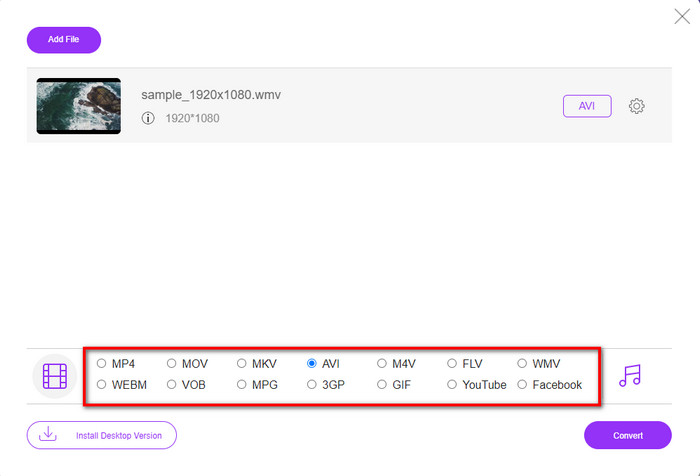
Passaggio 3. Una volta che il file WMV sarà presente nell’interfaccia, devi scegliere il formato AVI tra le opzioni disponibili in basso.
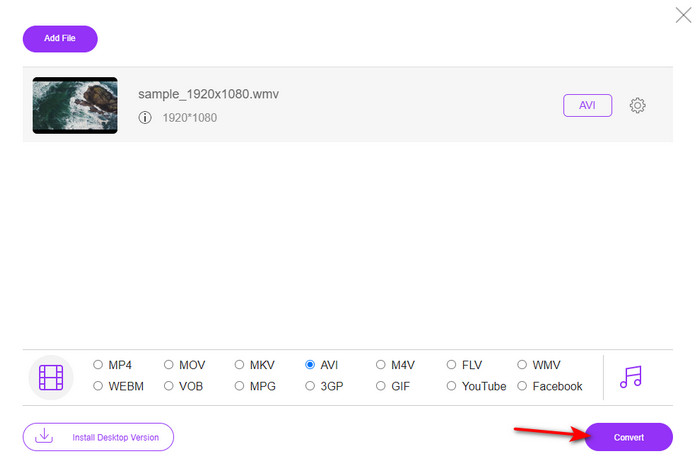
Passaggio 4. Dopo aver selezionato il formato, è il momento di avviare la conversione facendo clic su Convert.
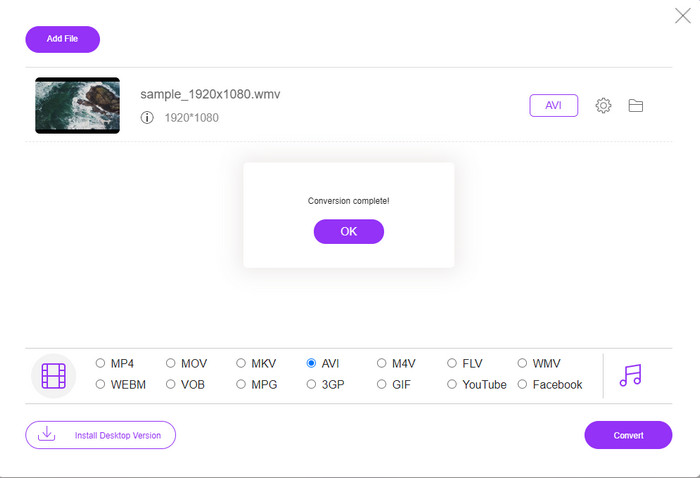
Passaggio 5. Attendi qualche minuto finché il processo non sarà terminato; quindi sullo schermo comparirà una cartella contenente il file convertito. Fai clic su di essa per guardare il nuovo file WMV che hai creato con questo strumento.
Top 2. Convertio
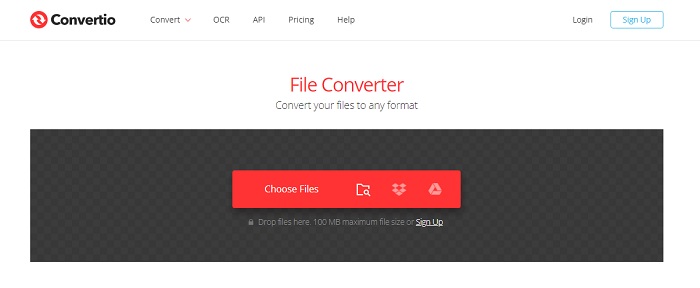
Un altro convertitore online che puoi usare per convertire gratuitamente file WMV in AVI è Convertio. A differenza del primo strumento online menzionato, non avrai bisogno di un launcher per utilizzarlo. Inoltre, con questo strumento puoi convertire PDF, immagini, audio e molto altro. Tuttavia, il principale inconveniente è che il caricamento e lo scaricamento dei file richiedono molto tempo. Inoltre, non dispone di una libreria integrata con tutti i file che hai convertito. Se desideri usare questo strumento come convertitore, segui questi passaggi.
Passaggio 1. Apri il tuo browser preferito e cerca Convertio.io.
Passaggio 2. Fai clic su Choose File e individua nella cartella il file WMV che vuoi convertire. Poi fai clic sul pulsante drop-down e scegli AVI.
Passaggio 3. Il processo di caricamento richiederà un po’ di tempo; quindi fai clic su Download per salvare il formato convertito.
Top 3. CloudConvert
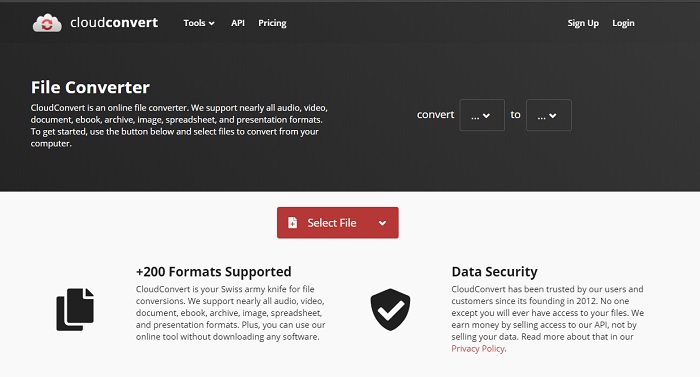
CloudConvert supporta un’ampia gamma di formati che puoi scegliere di convertire. Inoltre, il processo di conversione è sicuro e non conserva alcuna traccia delle tue conversioni. Come Convertio, anche questo strumento non dispone di una libreria integrata. E il processo di conversione dei formati è molto più lento, perché non supporta l’accelerazione hardware per aumentare la velocità di conversione. Se comunque desideri provare una conversione gratuita da WMV a AVI online, segui i passaggi riportati di seguito.
Passaggio 1. Apri il browser Web e cerca CloudConvert.
Passaggio 2. Premi Select File, quindi cerca nella cartella che apparirà sullo schermo il file .wmv.
Passaggio 3. Fai clic su Convert to, scegli il formato AVI, fai clic sul pulsante Convert e, al termine della conversione, fai clic su Download.
Parte 2. Come cambiare WMV in AVI su Mac e PC con Lightning Speed Converter
Il software online menzionato sopra non può eguagliare ciò che FVC Video Converter Ultimate offre ai suoi utenti. Se stai cercando uno strumento multifunzione, questa è probabilmente la scelta migliore. Puoi usare questo software come convertitore, editor, creatore di GIF e molto altro. Inoltre, questo programma supera le aspettative sia per ciò che può fare sia per la velocità con cui completa le operazioni. Le prestazioni complessive di questo strumento ci hanno davvero colpito; se vuoi sorprenderti anche tu, scarica questo straordinario convertitore sul tuo desktop. Ora passiamo alla conversione da WMV a AVI su Mac e PC seguendo la procedura passo passo che abbiamo preparato qui sotto.
Passaggio 1. Prima di poter usare lo strumento, devi scaricarlo e scegliere la piattaforma che stai utilizzando. Quindi installa il software sul desktop: la rapida configurazione richiede meno di un minuto.
Download gratuitoPer Windows 7 o versioni successiveDownload sicuro
Download gratuitoPer MacOS 10.7 o versioni successiveDownload sicuro
Passaggio 2. Apri il software per passare al passaggio successivo; dopo l’avvio vedrai il simbolo +: cliccaci per aggiungere i file, quindi seleziona Open.
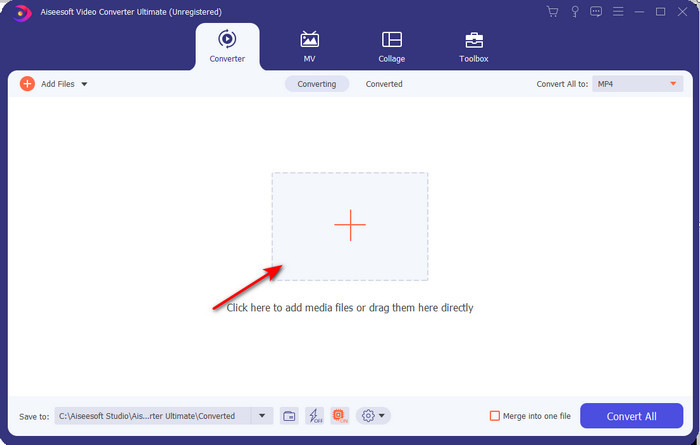
Passaggio 3. Per cambiare formato, fai clic sul menu a tendina di Convert All to e scegli AVI nel sottomenu.
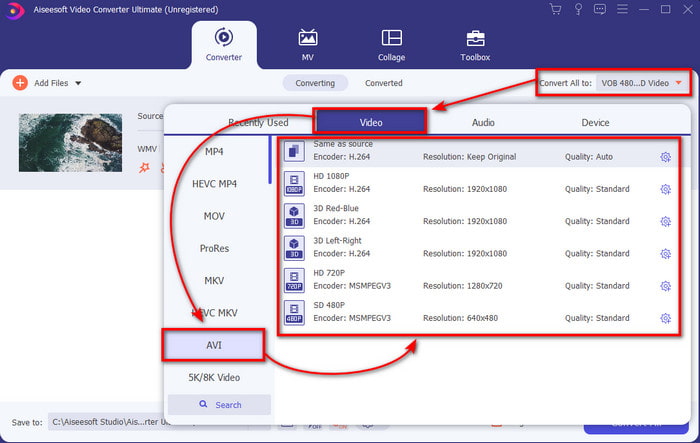
Passaggio 4. Ora, per convertire correttamente il file WMV in AVI, fai clic su Convert All e attendi qualche secondo fino al termine del processo.
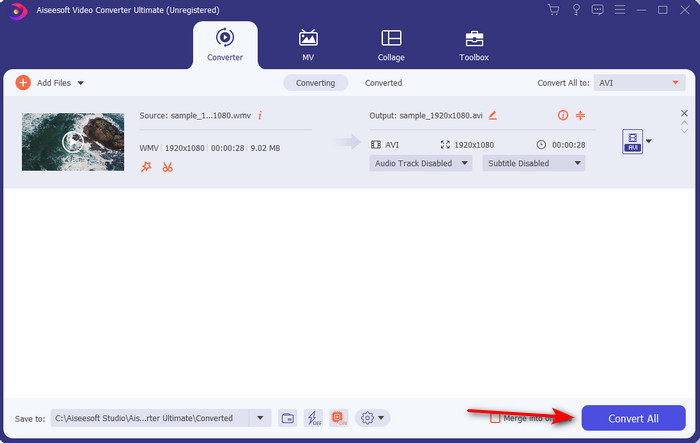
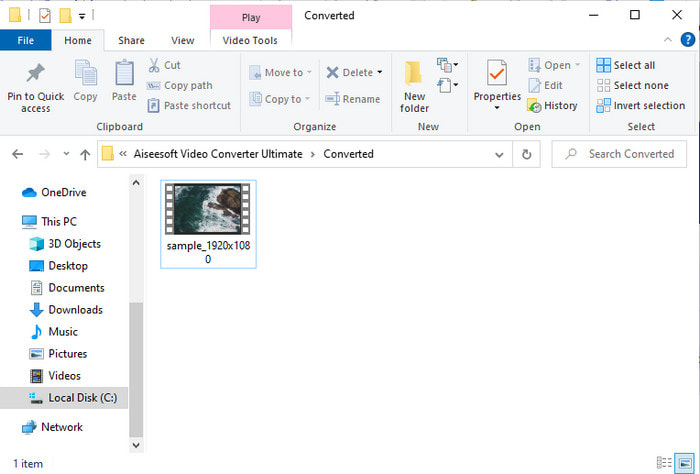
Passaggio 5. Al termine della conversione, sullo schermo apparirà una cartella con il file convertito che hai creato pochi secondi prima. Per guardarlo fai clic sul file video e goditi il tuo file WMV convertito senza perdita di qualità.
Parte 3. WMV VS AVI; Quale formato funziona meglio
WMV e AVI sono alcuni dei contenitori di file video di prim'ordine che ti piacerebbe usare. I due formati citati possono contenere video e audio di alta qualità, ma ora determiniamo le loro differenze leggendo questa tabella di confronto.
| WMV | AVI | |
| Conosciuto anche come | Video Windows Media | Audio Video Interlevanza |
| Miglior utilizzo per | Un tempo trasformava un file di grandi dimensioni in uno più piccolo per lo streaming di video online ben strutturato. | Utilizzato per archiviare video e audio separatamente e riprodurli contemporaneamente senza ritardi. |
| Sviluppato da | Microsoft | Microsoft |
| Svantaggi del formato | Guadagna meno attenzione e supporto dai lettori multimediali. | Ha bisogno di un codec per comprimere questo file di grandi dimensioni in un file molto più piccolo ma entro un limite. |
WMV contro AVI
Prodotto da Microsoft, WMV era uno dei formati video più comuni negli anni 2000. Può essere visto sul Web e riprodotto da vari lettori multimediali su Windows. Ed è anche il formato di file video predefinito di Windows Media Player. Ma è stato recentemente rilevato da altri formati.
Basato sul Resource Interchange File Format (RIFF), il formato AVI è stato introdotto da Microsoft nel 1992. Può salvare video/audio di alta qualità poiché utilizza meno compressione. Ma ciò causa anche la grande dimensione del file di un file AVI, che potrebbe essere un problema quando lo spazio è limitato.
Parte 4. Domande frequenti sul formato WMV e AVI
Trasformare WMV in AVI influisce sulla qualità?
La qualità del file WMV quando lo trasformi in AVI non deve cambiare. Tuttavia, supponiamo che il tuo WMV cambi e la qualità diminuisca. In tal caso, il convertitore che utilizzi non supporta un pixel di alta qualità del tuo video.
La dimensione del mio WMV cambia dopo la conversione?
La dimensione del file del WMV potrebbe essere leggermente diversa dalla dimensione del file originale. C'è un motivo per cui cambia. Uno dei motivi è che il file compresso non viene compresso, quindi la dimensione del file cambia. Ma le modifiche devono essere vicine alla dimensione del file originale e non dovrebbero essere così lontane o grandi.
Posso utilizzare WMV per allegare un video a un'e-mail?
Sì, è l'ideale utilizzare il formato WMV e allegare il video a un'e-mail perché supporta una compressione migliore e più veloce rispetto a MPEG-4, secondo Microsoft. Inoltre, è noto come formato in miniatura a causa delle dimensioni ridotte del file. Tuttavia, la qualità del video rimane.
Conclusione
Alla fine, è più facile per noi capire che non tutte le piattaforme e il software supportano WMV. Inoltre, il webtool funziona bene, ma esiste uno strumento in grado di convertire file batch molto più velocemente e facilmente: FVC Video Converter Ultimate. Supponiamo di voler sperimentare la conversione fenomenale fornita da questo software. In tal caso, è necessario scaricarlo ora sul desktop e utilizzarlo.
-
 Come convertire WMV in MP4 gratuitamente e online [Risolto]
 Come convertire i file WMV in MP4? Ecco i 4 semplici modi per convertire WMV in MP4 su Mac e Windows con semplici passaggi.
-
 WMV in MP3 – Come convertire video in audio gratuitamente [Desktop/Online]
 Mentre guardi un video WMV, trovi affascinante la parte audio. Quindi, vuoi riprodurlo sul tuo lettore MP3. Ma chiaramente il tuo lettore non supporta il formato WMV. Questo ti fa chiedere se c'è un modo per convertire WMV in MP3.
-
 2 modi più semplici per convertire file WMV in FLV su PC/Mac
 Come puoi convertire WMV in FLV? In primo luogo, devi leggere il nostro consiglio e trovare il tuo metodo preferito, quindi seguire la nostra guida per eseguire rapidamente il lavoro.

